Teleport to Home
A unique teleportation system that eliminates the need for chat commands. The entire management process is integrated into the game interface and physical items.
Setting a point
After placing a sleeping bag on a foundation, the system will prompt you to set it as a teleportation point. To confirm, click the notification that appears in the upper-left corner of the screen.

As soon as the point is created, you will automatically receive a remote control used for teleportation.
Using the remote control
Each sleeping bag is assigned a unique frequency, which is displayed in its name and the game menu. This frequency determines your teleportation destination. Once the sleeping bag is placed, you will receive a remote already tuned to the required frequency. To teleport, hold the remote in your hands and press and hold LMB.
Point Management
Since there can be multiple teleportation points, a "Teleport Points" section has been created to manage them. In this menu, you can delete a point, check its frequency, or set it as your primary destination.
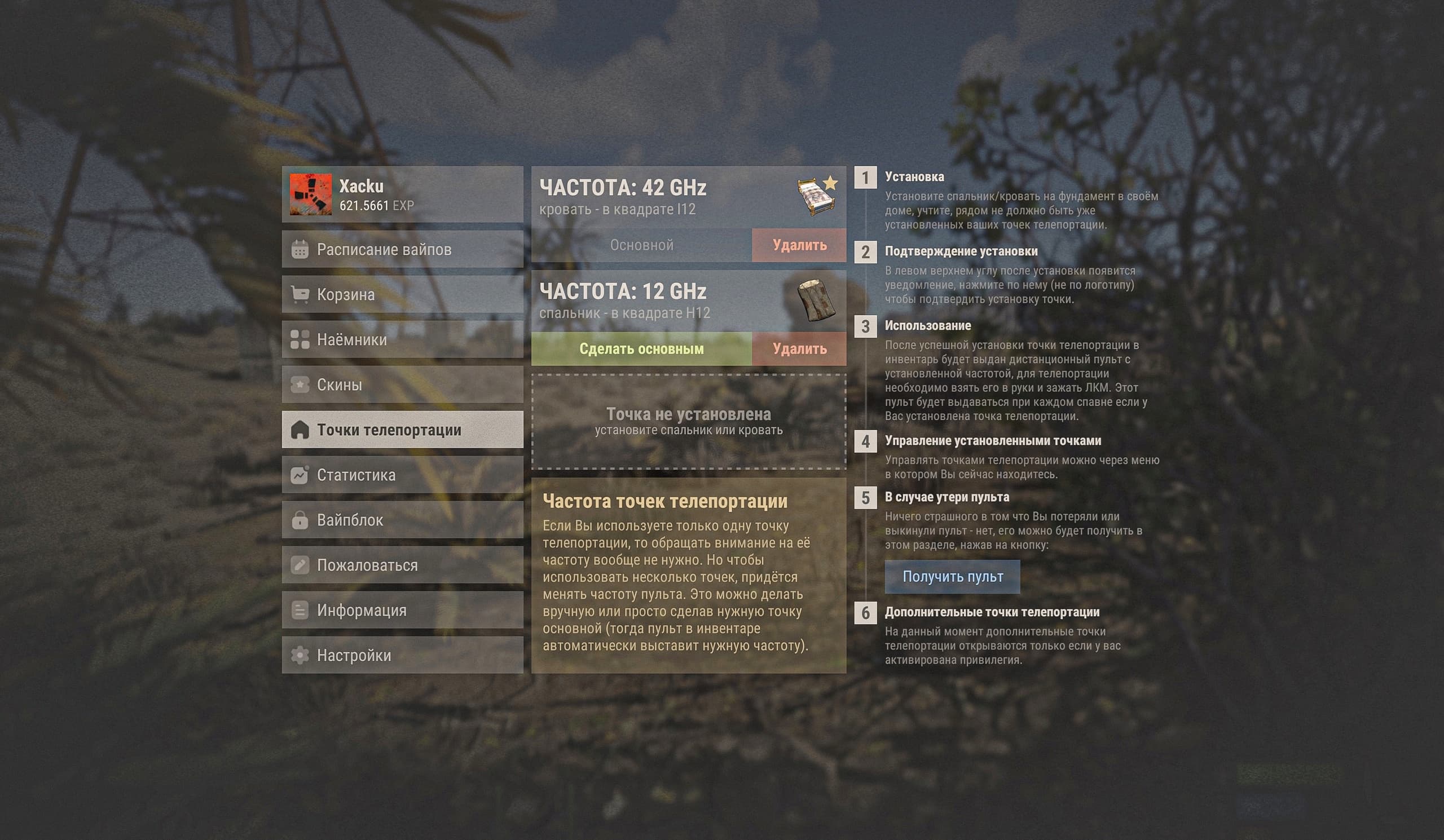
The point you use most frequently should be set as your primary destination, as its frequency will be automatically applied to your remote upon spawning.
Limitations and Nuances
- You cannot set more than one teleportation point within a 50-meter radius of an existing one.
- Teleportation is unavailable from oil rigs, floating debris piles, underwater labs, deep sea, cargo ships, and other mobile objects.
- Teleportation is prohibited while inside an enemy tool cupboard range or a raid zone.
- Bleeding slows down the teleportation process.
- Taking damage (from bullets, arrows, or other sources) also increases teleportation time.
- The cooldown after teleporting to a bed is shorter than when teleporting to a sleeping bag.